¶ Symptom(s)
When you try to print a license in the DIS Workbench, you receive an error and the license is not copied to the Bambu printer.
¶ Cause(s)
There are multiple general potential causes:
- printer-related:
- The printer is not powered on
- The printer is not connected to the network
- network-related:
- The network ports are not open
- The DIS hub is not whitelisted on the network
- The printer is not on the same network as the DIS Hub
- DIS Hub-related:
- The DIS Hub is not powered on
- The DIS Hub is not connected to the internet
- The DIS Hub needs to be restarted
For all the problems above, the solutions are detailed in the general connectivity troubleshooting guide.
¶ Bambu-Specific Causes
- DHCP is enabled
- The printer connection settings are different from what has been configured in the DIS Hub
- DIS Hub is connected to the incorrect printer
- FTP connectivity to the printer is not working
¶ DHCP is Enabled
If Dynamic Host Configuration Protocol (DHCP) is enabled for your network, your printer's IP address may change.
- Check if DHCP is enabled for your network
- If DHCP is enabled, you must reserve a static IP address for the printer(s) and the DIS Hub(s) based on their MAC addresses.
- The DIS Hub MAC address is printed on the label on the bottom of your DIS Hub.

- The printer's MAC address can be found using these instructions.
- Refer to the router user manual for instructions on how to reserve static IP addresses for devices based on their MAC addresses.
¶ Changed Connection Settings
In some cases, the printer IP address or access code may have changed from the ones you initially sent.
To verify that the printer settings match the information sent, follow the printer specific guides.
If the information is different, ask your customer representative to update your printer configuration.
Once the information has been updated, restart the DIS Hub.
¶ DIS Hub Configured for a different printer
For DIS to send the licenses to Bambu Printers, the DIS Hub must be configured to connect to a specific printer.
In some cases, if you have multiple printers, Hub A may be configured for printer X, but you want to print on printer Y.
To solve this, follow the steps below:
- Read the DIS Hub ID from the bottom of the hub.
- Verify your current printer configuration
- Fill in the correct information in the DIS Bambu Configuration form and ask your WAG customer representative to update the DIS Hub configuration.
¶ Validate FTP Connection
In some cases, the communication to the printer via the SFTP port may be blocked.
To validate that the connection is open, follow the steps below:
- Connect your laptop to the same network as the printer
- Run the WinSCP application
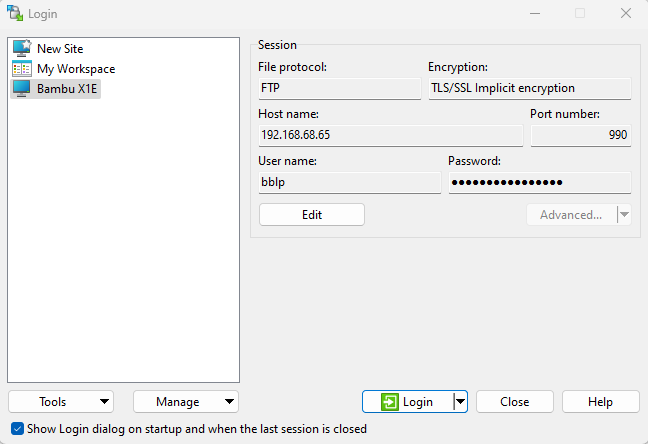
- Connect to a new Site with the following parameters
- File protocol: FTP
- Encryption: TLS/SSL Implicit encryption
- Host name: <the printer IP address>
- Port number: 990
- User name: bblp
- Press Login
If the connection is open, you will be able to access the printer's folders.
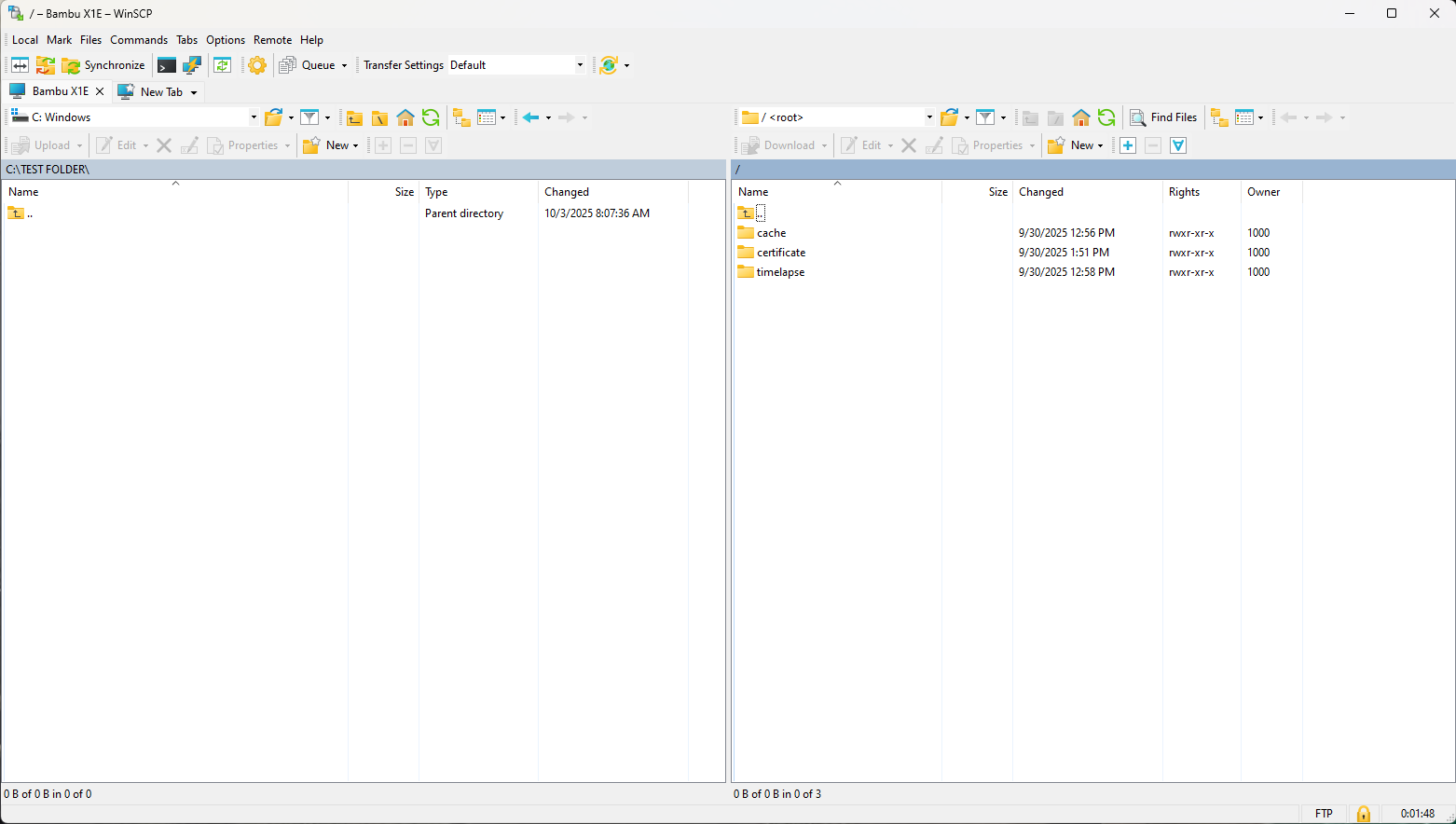
If the connection doesn't work, ensure that you have entered the correct printer information and that you are connected to the same network as the printer.