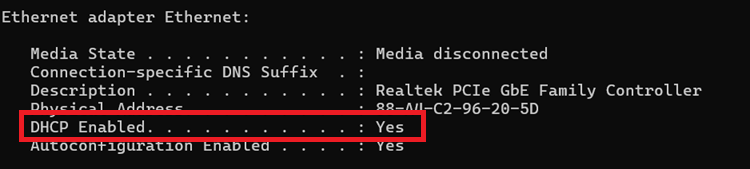
To check if your network has DHCP enabled, follow the steps below.
- Open a Windows Command Prompt
- Search “Command Prompt”
- Type ipconfig /all
- Search for the “Ethernet adapter” section.
- If DHCP Enabled is set to Yes that means the network has DHCP enabled.