- To extract the network configuration for the DIS Hub follow the steps below:
!Connect your laptop to the same physical network as the DIS Hub (hook up an Enthernet cable from your laptop to the same switch that the DIS Hub is plugged into)!
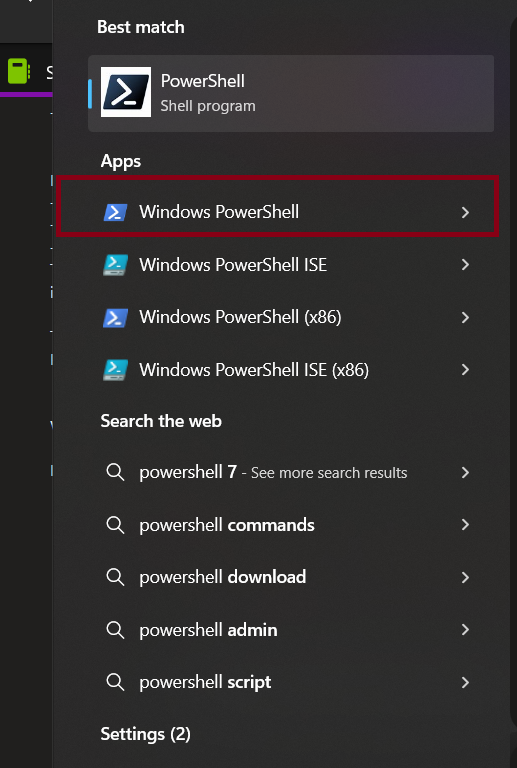
- Open Windows PowerShell on your laptop. (Type powershell in the Windows search bar and select from Apps > Windows PowerShell)
- Check that you are indeed on the same network as the DIS Hub by typing the command below in the PowerShell window:
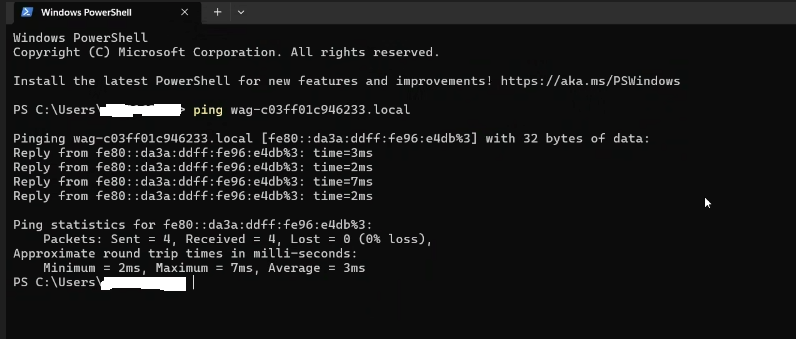
- ping <dis-hub-serial-number>.local Example: ping wag-c03ff01c946233.local
- If you are on the same network, you will get an answer like the one below
- If you are not on the same network, you'll get a message letting you know the device was not found

- Make sure you typed in the correct value as explained above.
- If you have wifi enabled, turn it off.
- Ask for help to ensure your laptop is connected to the same network as the DIS Hub.
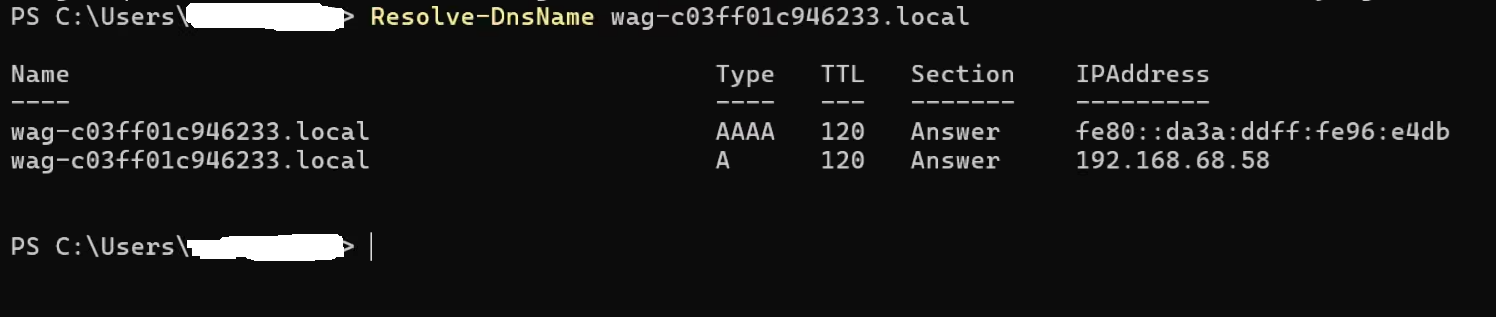
- Obtain the network configuration of the DIS Hub, by typing the command below in the powershell window:
- Resolve-DnsName <dis-hub-serial-number>.local
- Example: Resolve-DnsName wag-c03ff01c946233.local
- You will get something like the image below.