¶ Symptom(s)
The status indicator lights on the Ethernet port of the DIS Hub are dark, even though the hub is connected to the network, is plugged into a power outlet, and the power is on.
¶ Cause(s)
The boot loader switch is in the incorrect position, and the incorrect OS image is loaded.
¶ Solution
To fix this problem, do the following:
- Turn the DIS Hub the right side up (with the label at the bottom) so that you see the “top" of the DIS Hub.
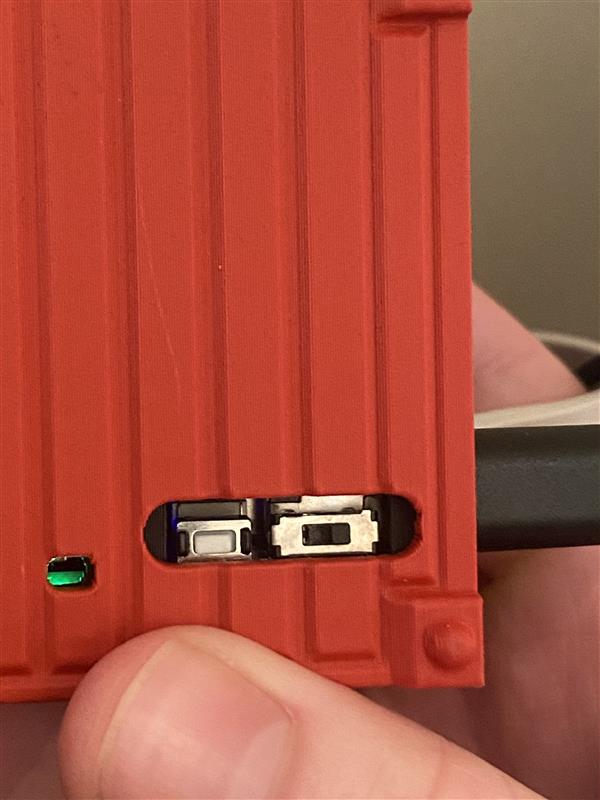
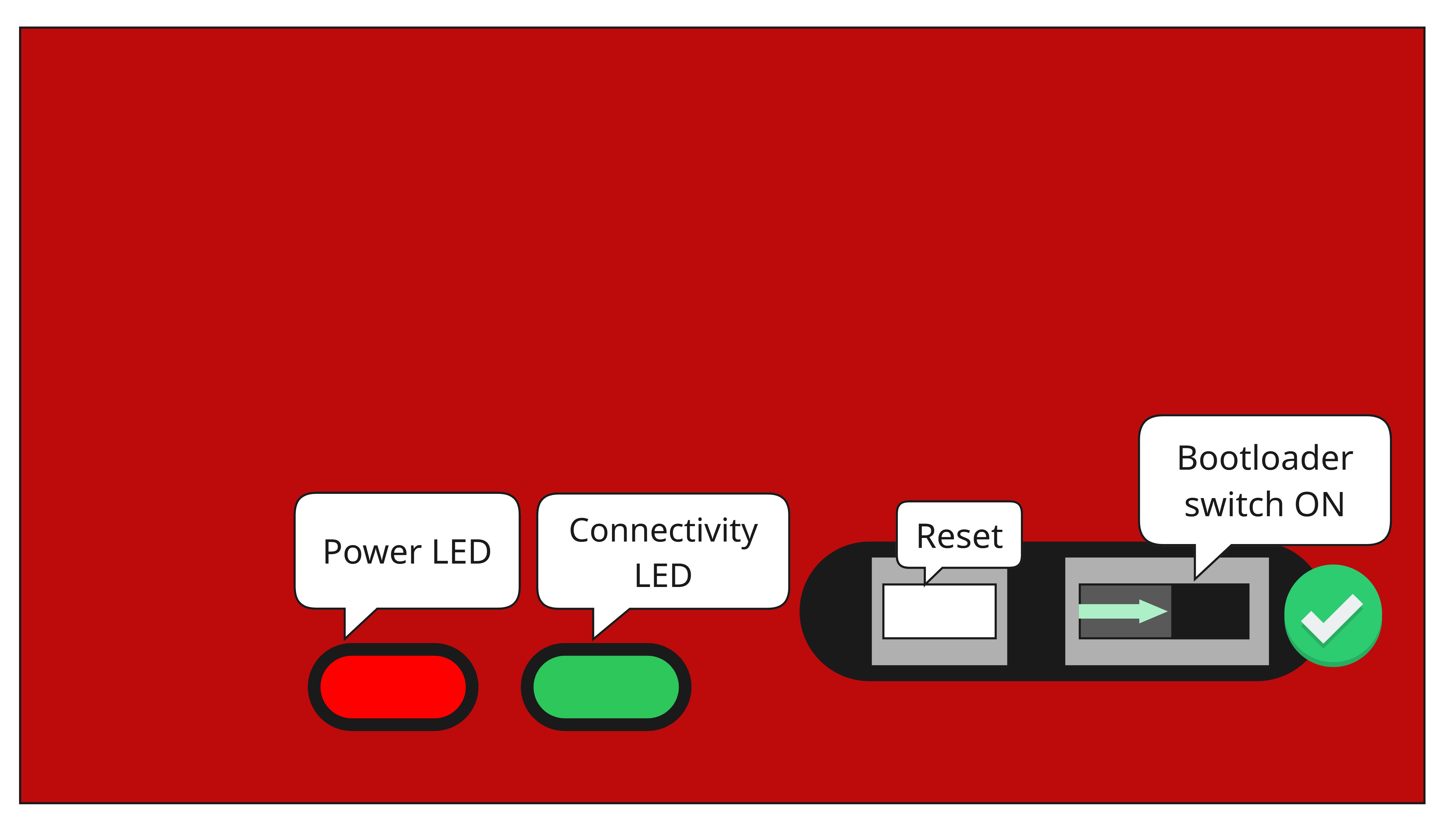
- You will find the boot loader switch in the bottom right corner as you look at the hub from above.
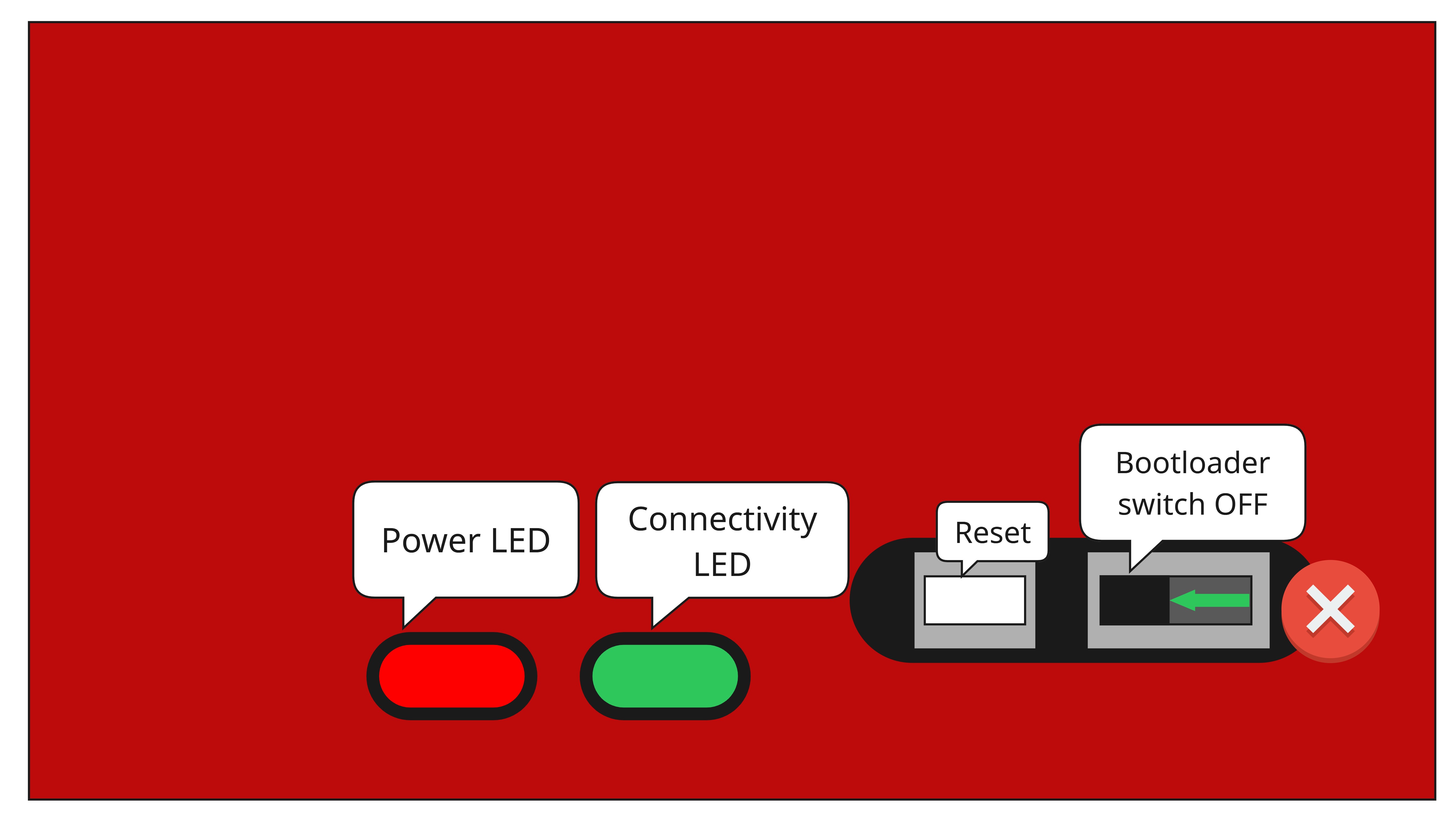
- Ensure the switch is in the ON position, i.e., to the right-hand side. See the diagrams below and the picture:
- And this is the position when the switch is off
- Picture with the bootloader switch on