¶ What is QAD?
- Quality Assurance Documentation represents the quality information that you want the AM operator to enter after the recipe is printed to validate that the part was produced according to the quality requirements.
¶ Define QAD Requirements
The quality assurance documentation requirements are defined in the DIS Admin when creating or editing a recipe.
Users can add one or more quality requirements:
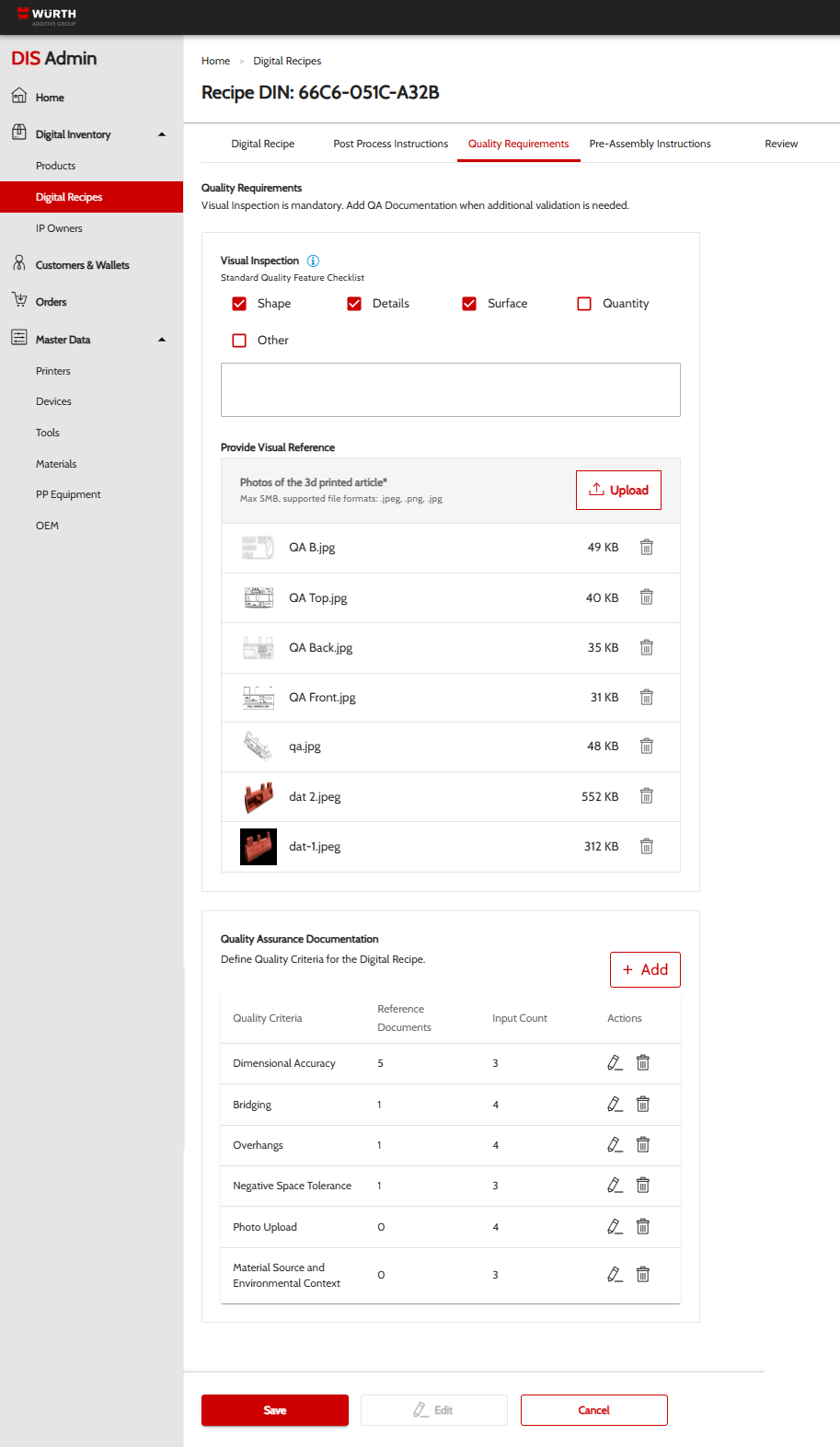
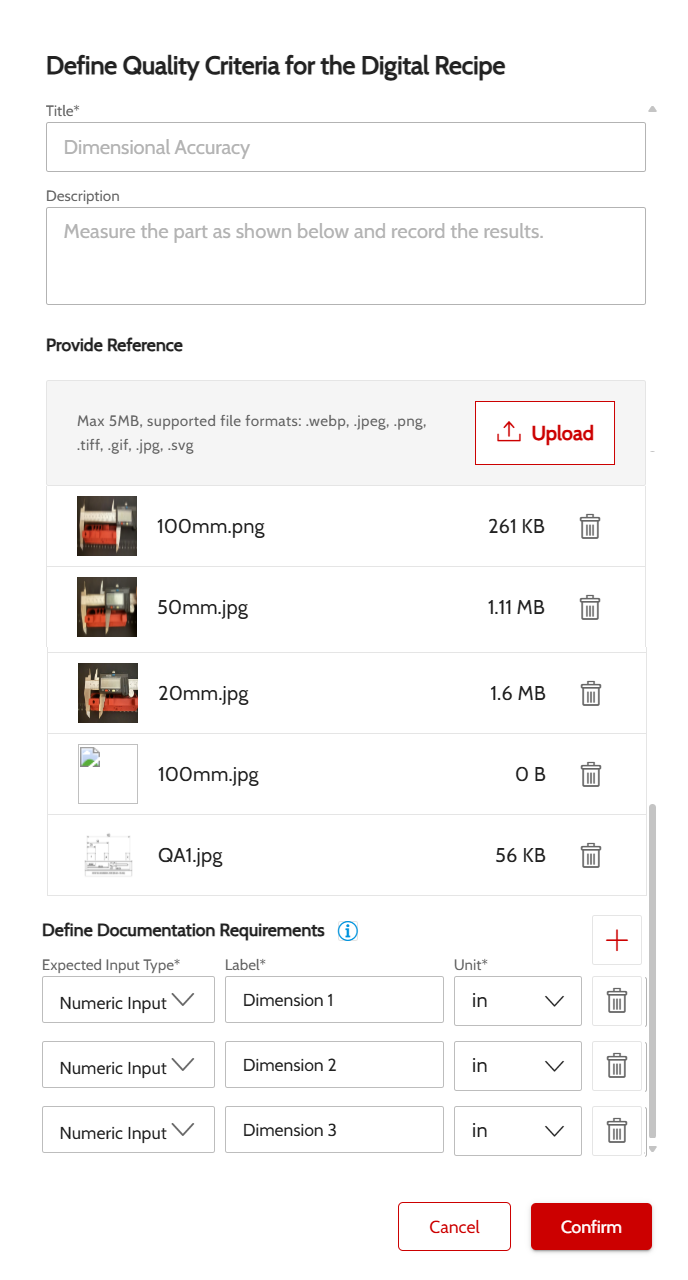
For each quality requirement, you can specify multiple criteria, with:
- Title
- Description
- Reference images - that will help the AM operator understand what to measure / validate
- One or more documentation requirements
¶ Enter QAD During Printing Process
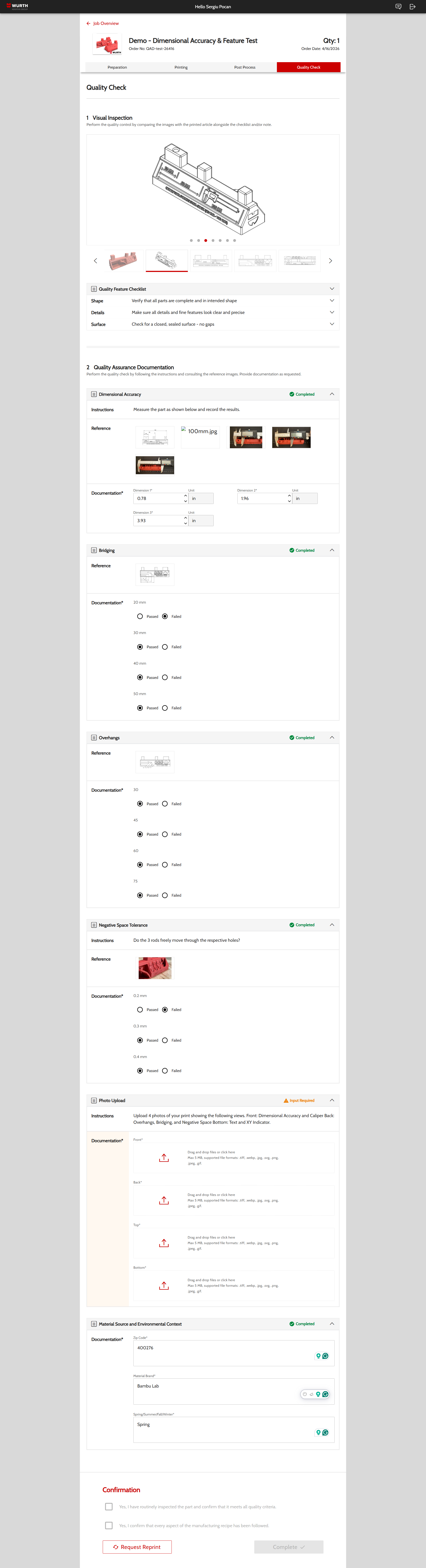
Once the quality requirements have been published, the AM operators will have to fill in the quality information requested to complete the printing process.
¶ View QAD Values
Once the print job is completed, the values can be verified in the DIS Admin.
To verify the quality assurance documentation, go to Orders and access the order and license you want to verify.
¶ QAD Details
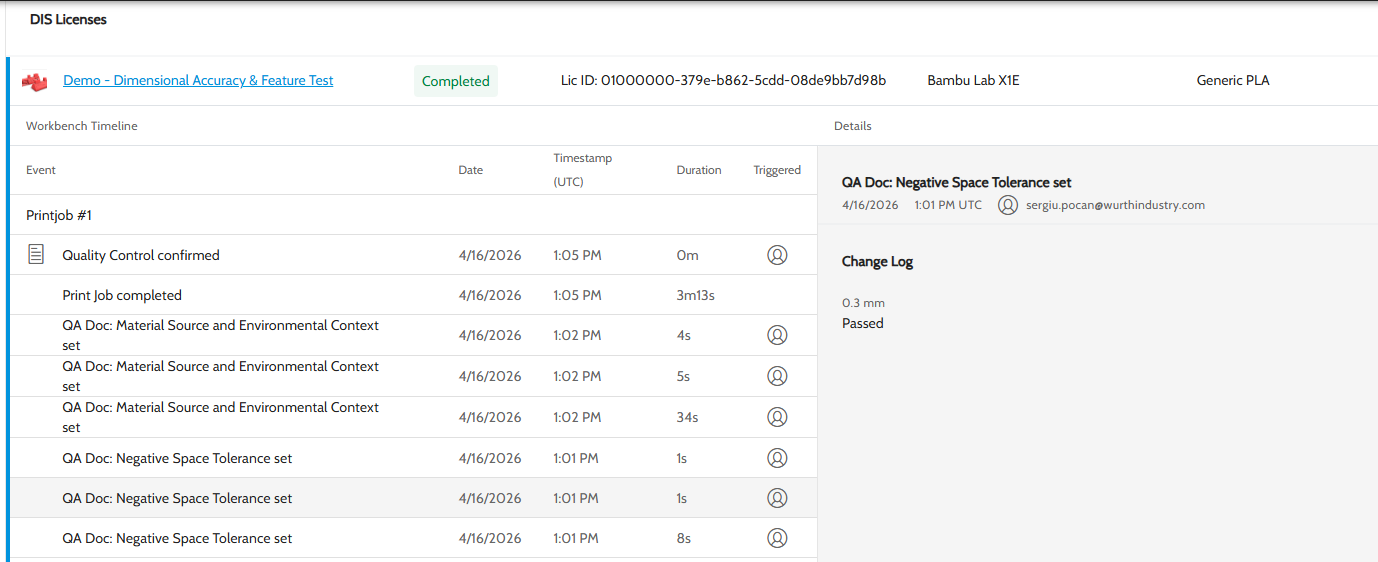
You will be able to see each value entered during the Quality Check step of the printing:
¶ QAD Summary
Additionally, you can see a summary of the final values. (pending deployment)
¶ Download Quality Documentation
If the user uploaded files during the quality check process, you can download them from the QAD summary page. (pending deployment)