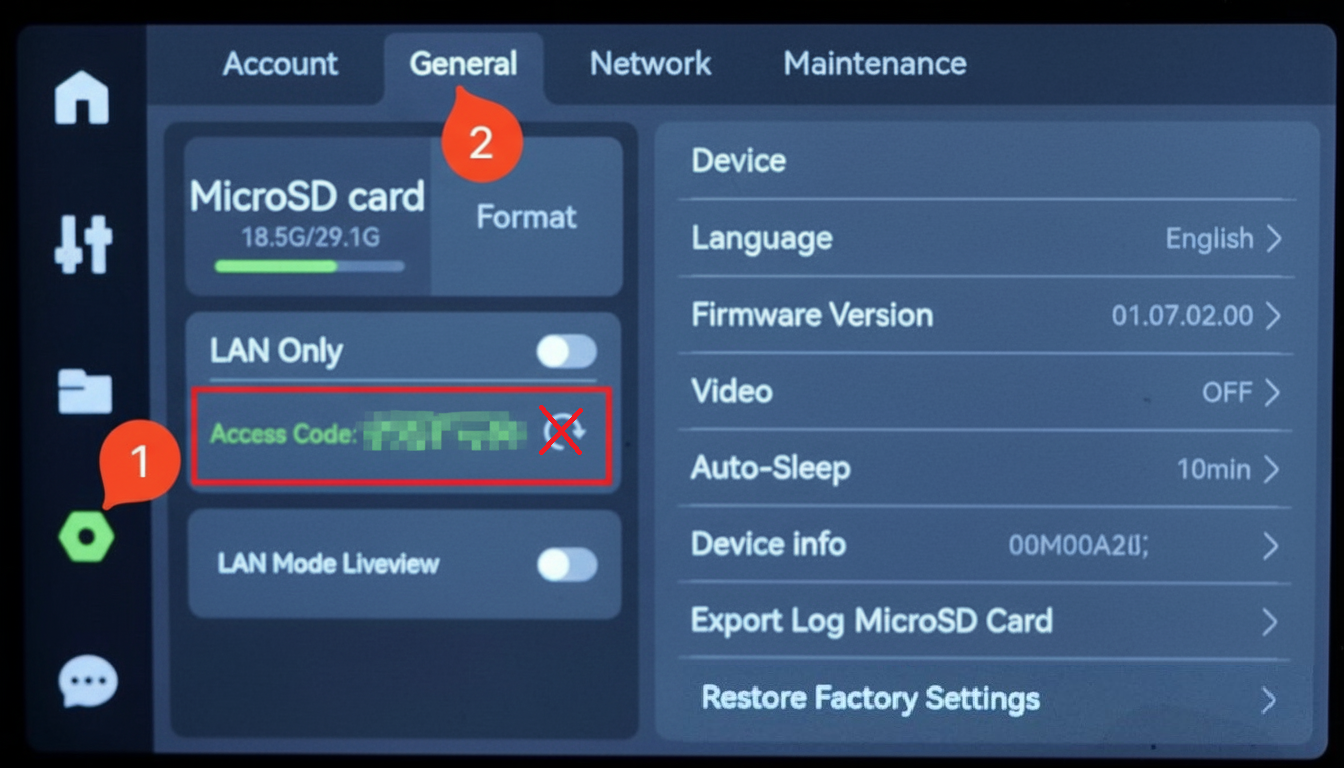
These instructions apply for Bambu X1E printers
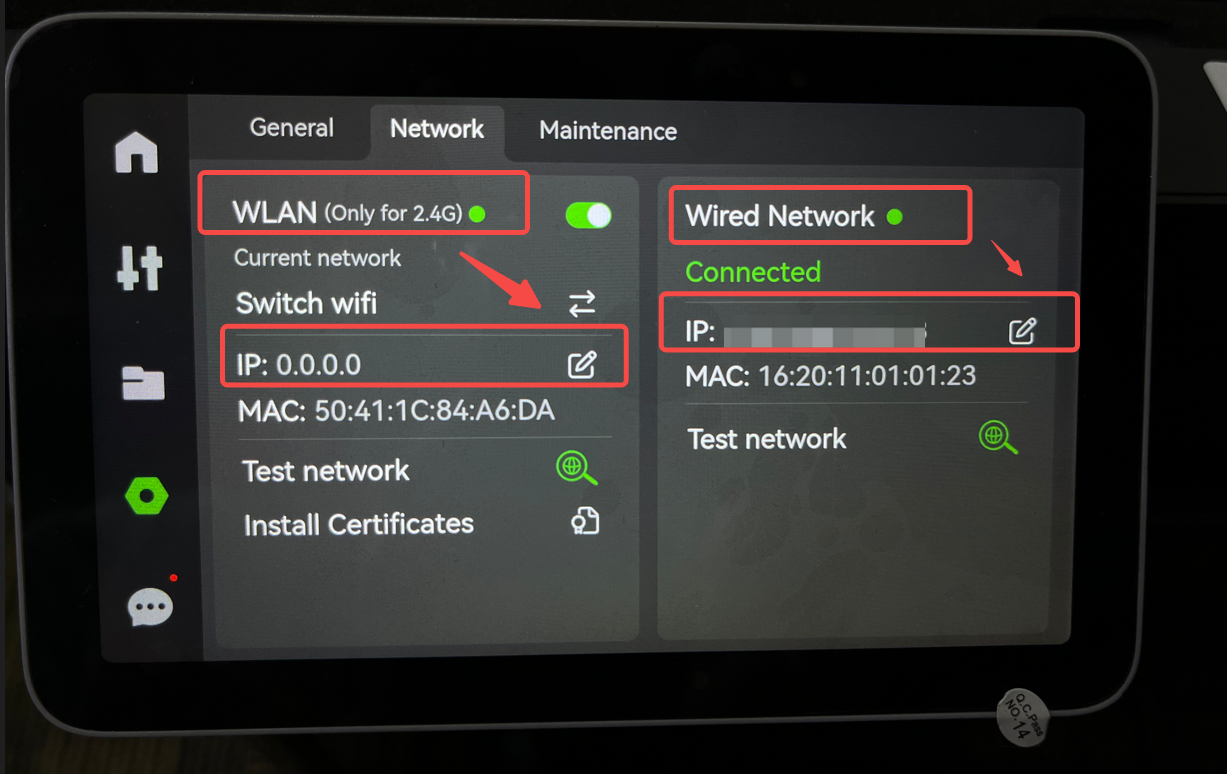
For the X1E printers, the IP address and access code are not located on the same screen.
¶ IP Address
To obtain the printer's IP address, follow the steps below.
- Wake the screen (tap the touchscreen if asleep)
- Tap Settings (the gear/honeycomb/octagon icon on the left).
- Press the Network tab
- Depending on whether the printer is connected to the WiFi or Ethernet network, you will find the IP address:
¶ Access Code
To obtain the printer's access code, follow the steps below.
- Wake the screen (tap the touchscreen if asleep)
- Tap Settings (the gear/honeycomb/octagon icon on the left).
- Press the General tab
- The access code is shown in the left-hand side panel
Important: Do NOT click the circular arrow next to the code, it will create a new access code!