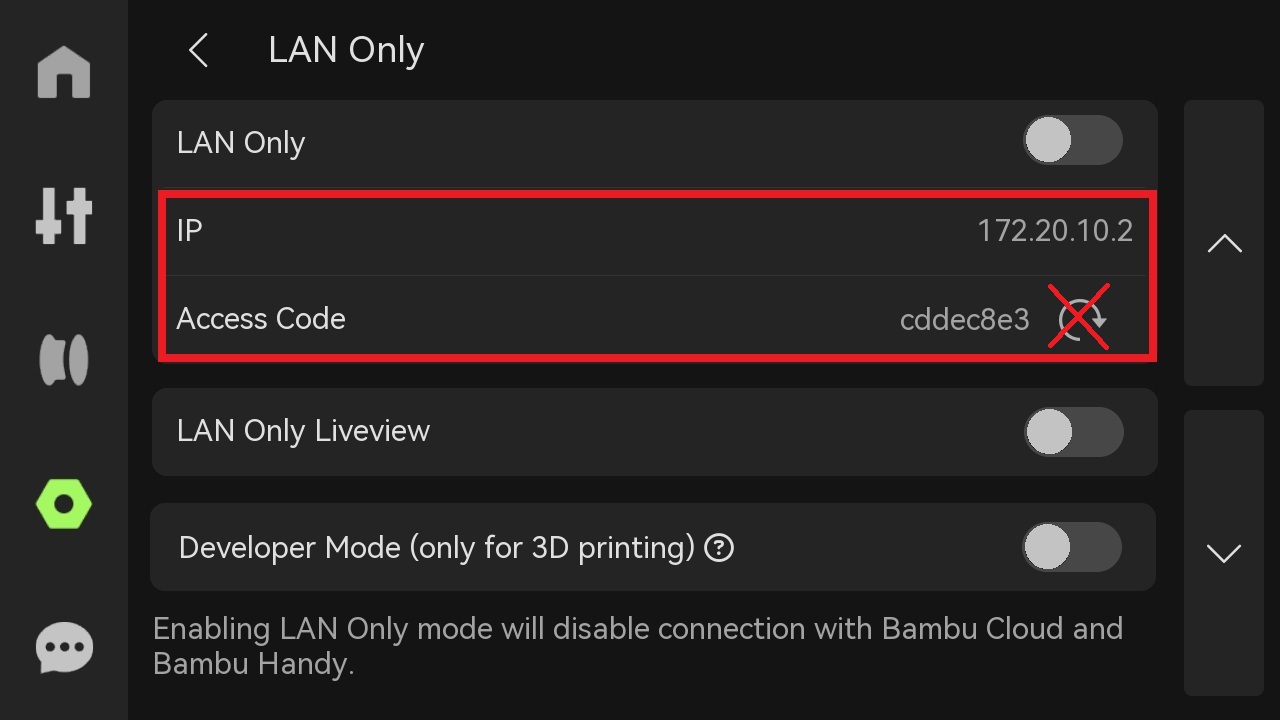
These instructions apply for Bambu X1C, H2S, H2D and H2D Pro
To obtain the printer's IP address and access code, follow the steps below.
- Wake the screen (tap the touchscreen if asleep)
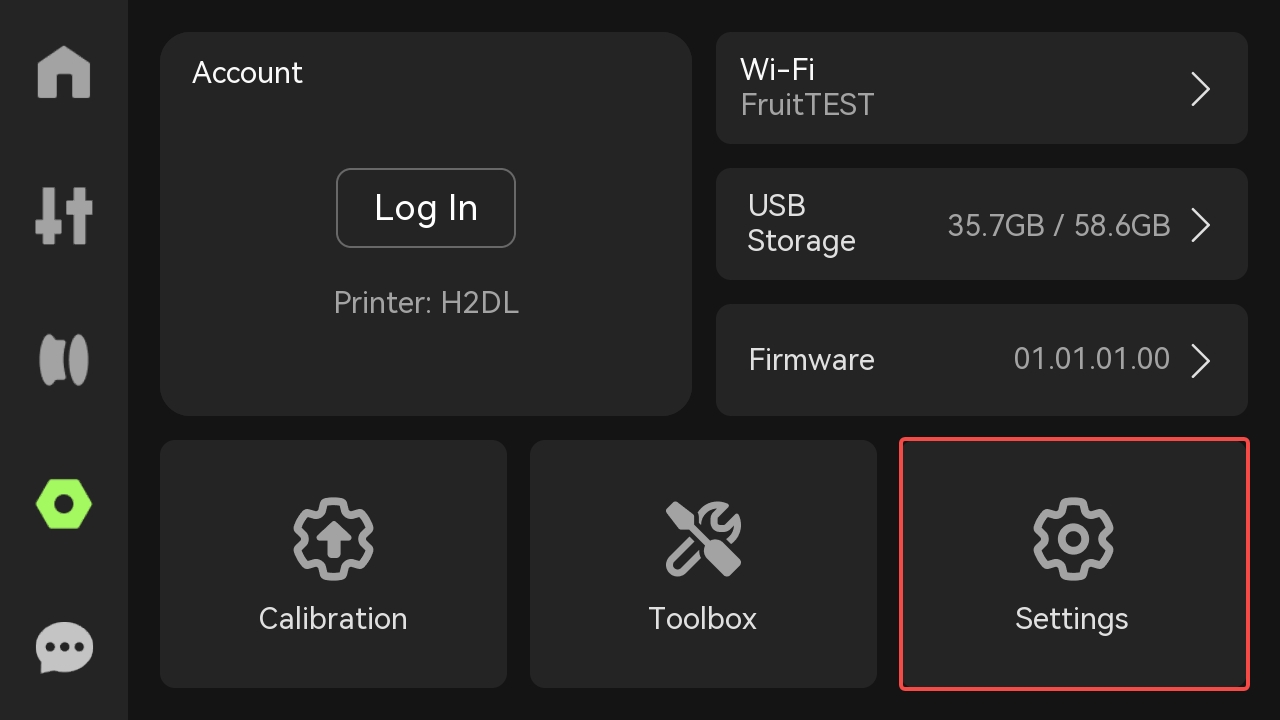
- Tap Settings (the gear/honeycomb/octagon icon on the left).
- Press Settings
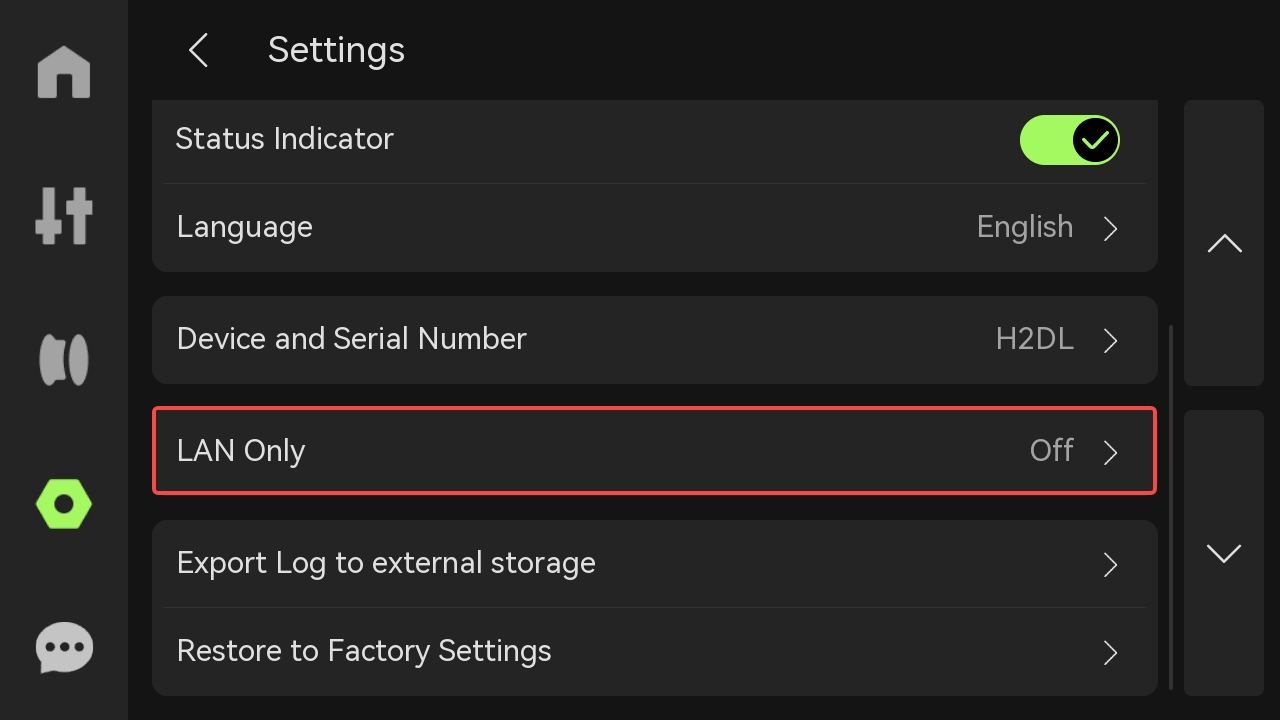
- Press LAN Only
- You do not have to enable LAN Only to view the IP address and Access Code
- The field IP indicates the printer IP address
- The field Access Code indicates the printer access code
Important: Do NOT click the circular arrow next to the code, it will create a new access code!